




Email Parser Explained: How It Works for UK Businesses
An email parser is software that reads incoming emails and attachments and turns the useful details into structured fields such as supplier, date, amount and VAT.
The usual advice is to connect your inbox, extract the totals and send everything straight into your accounts. That skips the harder half of bookkeeping: deciding whether the document supports a usable record. Reading a receipt isn't the same as knowing what belongs in the ledger.
What an Email Parser Does and Why It Matters
Think of an email parser as a post-room clerk. The clerk opens each envelope, identifies the paperwork and puts the useful details into the right tray. Software does the sorting and copying, but someone still needs to decide what to do with an unclear document.
Say you run a decorating business. Your paint supplier emails PDF invoices, your parking receipts arrive inside messages, and you photograph paper receipts while you're out. Without parsing, you open each document and type its details into a spreadsheet or accounting package.
The UK Business Data Survey 2021 estimated that 81% of UK businesses handled digitised personal data, digitised non-personal data, or both, with handling described as almost universal among businesses with 10 or more employees. Financial, customer, sales and transaction records were within its scope, the kinds of information businesses routinely exchange in emails and attachments.
From a document to usable fields
A PDF is digital, but its contents aren't necessarily ready for accounting software. The supplier's name might sit beside a logo, the date above a table, and the final amount below several subtotals. A parser separates those details into named fields.
That distinction matters: a document stores evidence; structured fields let software use it. The accounting system can sort an amount by supplier or category without someone opening the original attachment.
The everyday task looks straightforward at a desk, but the source format changes what the software must read.
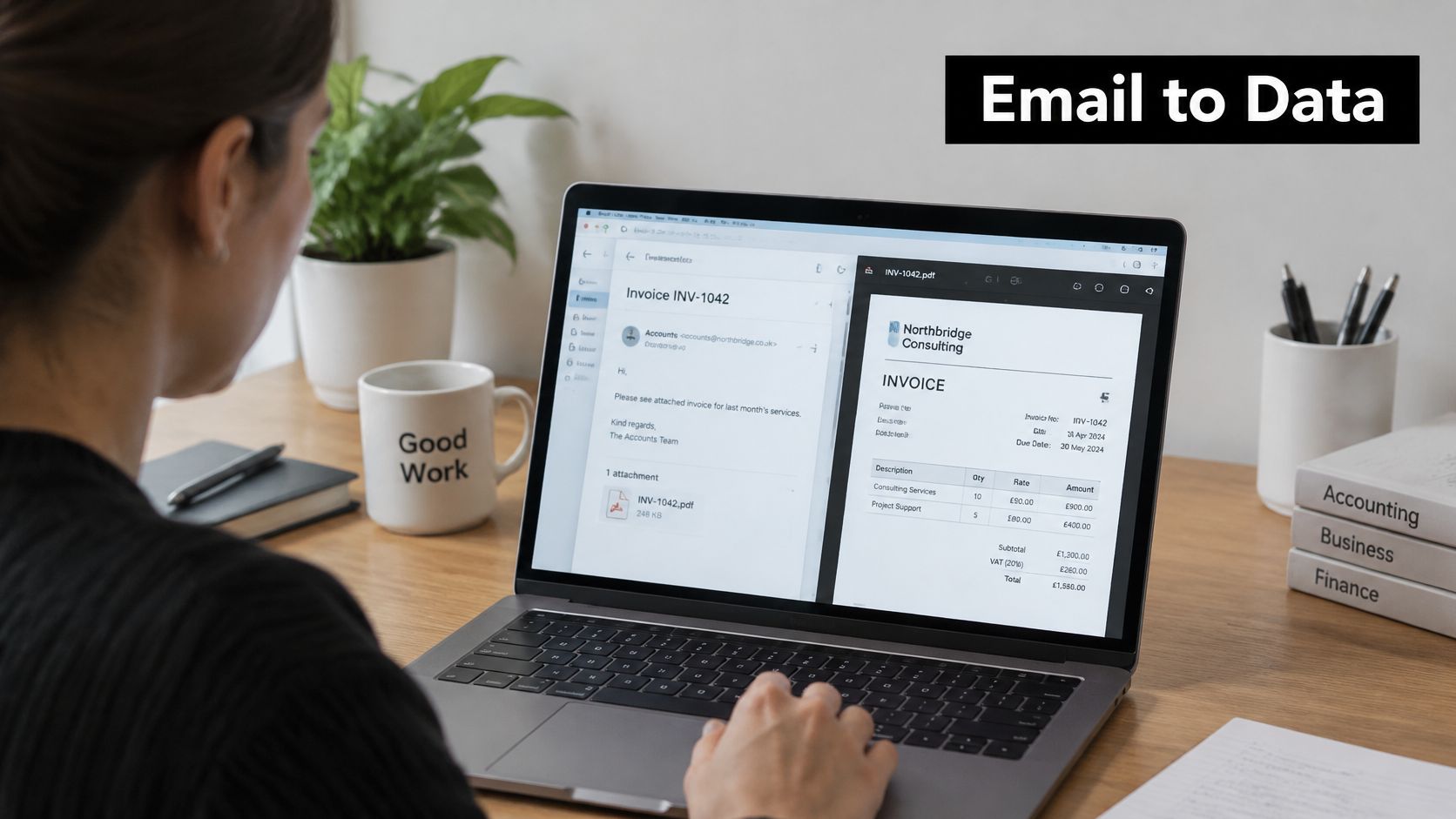
Email sources and what a parser must read
| Email source | What the parser reads | Typical failure |
|---|---|---|
| PDF invoice attached | Text layer and line-item table | Scanned PDF with no text layer |
| HTML receipt in the message body | Tags, table cells and currency symbols | Totals split across cells |
| Photo of a paper receipt | OCR on the image | Blur, folds and glare |
| Plain-text order confirmation | Labelled lines such as Total and Order date | Authorisation shown instead of the final charge |
| Forwarded thread | Newest message and its attachments | Duplicate copies of one receipt |
If retyping supplier names, dates and amounts has become a recurring job, parsing is worth considering. Its value is removing that copying task, not removing your judgement.
How an Email Parser Turns a Message into Data
Start with a dedicated forwarding address or a mailbox rule that copies supplier messages into the parser. Preserve the original message and trusted receiving-system headers where possible. An ordinary forward can lose information needed to establish who originally sent it.
Email remains a practical intake channel: the 2024 Longitudinal Small Business Survey found that 23% of SME employers that had received information and advice received it by email. For bookkeeping, a monitored address gives incoming paperwork a defined destination instead of leaving it scattered across personal inboxes.
Follow a supplier invoice through the process
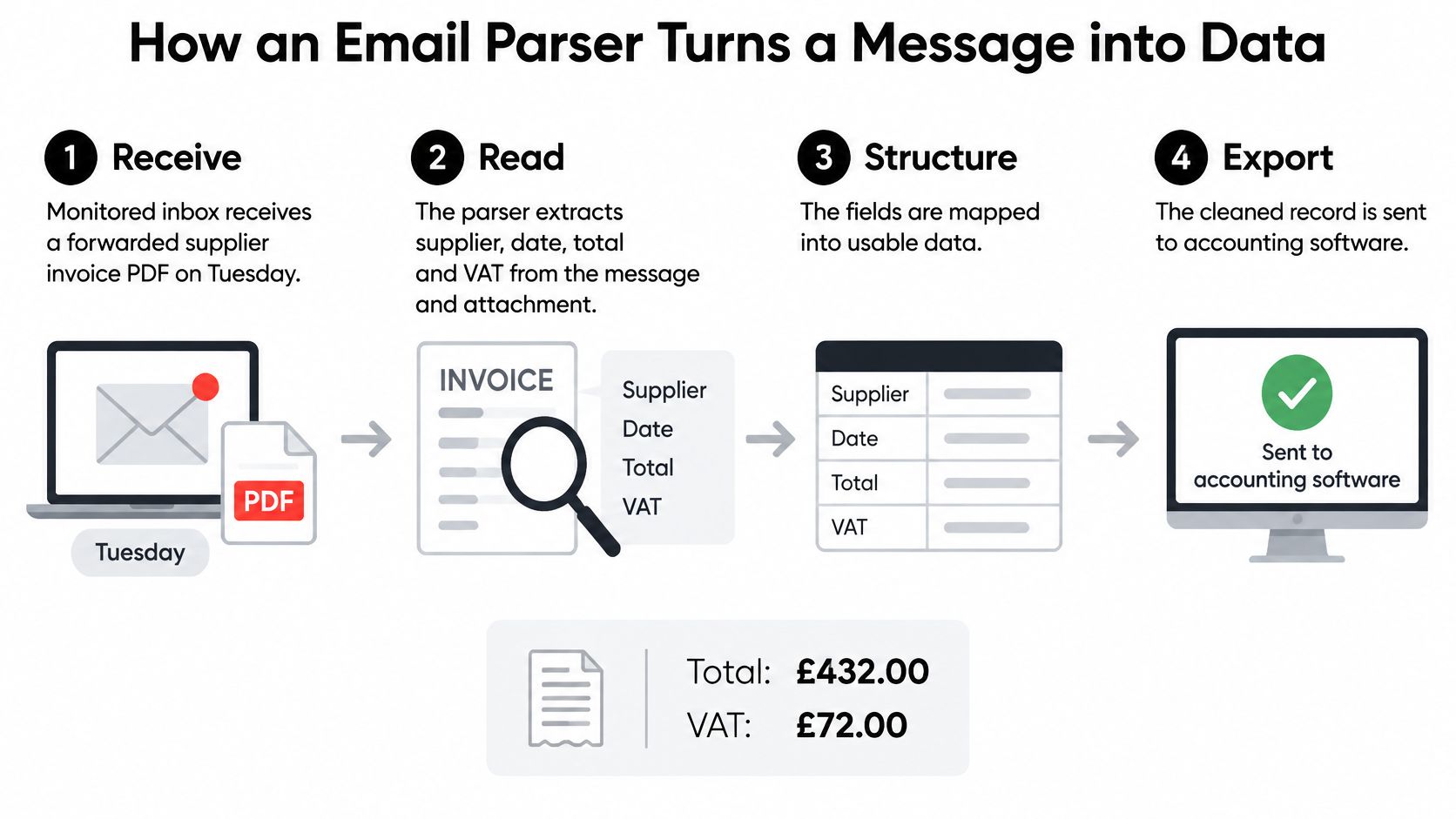
Suppose you forward a supplier's invoice PDF on Tuesday. It contains a supplier name, invoice date, total and VAT amount, but the date is slightly blurred.
Receive. The system logs the message, its arrival time and the available sender information. Tuesday is the arrival day, not automatically the transaction date.
Check the sender. The receiving system evaluates authentication before allowing the attachment into the extraction workflow. Failed or uncertain checks should stop the invoice from progressing automatically.
Classify. The parser identifies the document as an invoice rather than a quotation, order confirmation or promotional attachment. This prevents a plausible-looking document from becoming the wrong kind of record.
Read. It extracts text from the message and PDF. If the attachment is a scan rather than selectable text, optical character recognition, or OCR, converts the image into machine-readable text.
Map. The software assigns the extracted values to fields such as supplier, invoice date, gross total and VAT. It should preserve distinct dates rather than treating the due date or forwarding date as the transaction date.
Score. Where the tool supports field-level confidence, it flags the blurred date even if the total is clear. A reliable amount doesn't make an uncertain date safe to accept.
Route. A complete, validated item can enter an approval queue. The invoice with the blurred date goes to a needs-review queue, with a reason that tells the reviewer what to check.
The diagram shows the broad flow from receipt to export; the checks within that flow determine whether export should happen.
A confidence score is a signal for checking, not proof that a field is correct.
At the end, you should be able to open a record with named fields, its source file and a clear status. You shouldn't have to guess whether it has merely been read, approved or already exported.
Rules, Templates, AI and Ready-Made Tools Compared
You can build an email parser around fixed rules, supplier templates or AI extraction. Alternatively, you can use a ready-made service that combines intake, extraction, review and export. These aren't entirely separate categories: a hosted tool may use AI, templates or both behind its review screen.
Rule-based parsing looks for labels and patterns, such as an amount following Total. Template-based parsing uses a layout map for a particular supplier. AI extraction can interpret unfamiliar arrangements, while a ready-made tool packages the workflow so you don't have to build each component.
Choose for maintenance, not just setup
Rules suit predictable messages, but a supplier changing Total to Amount payable can require an update. Templates are useful for repeated layouts, although each new supplier adds another layout to maintain.
AI extraction offers more flexibility, not immunity from mistakes. Ask whether the tool exposes uncertain fields and supports checking against the original. The guide to AI data extraction tools is a useful starting point for comparing extraction approaches and workflow requirements.
For a small, stable trickle of receipts, manual entry supported by mailbox folders and a spreadsheet may be simpler than building automation. Mixed suppliers, scans and different document types make flexible extraction more attractive.
Buying test: Give the tool an unfamiliar supplier document, then inspect both the extracted result and the evidence behind it.
Compare the whole workflow
Scanned images need OCR somewhere in the process. A label-matching script alone won't read a photograph, and an extraction engine alone won't provide a usable approval history.
Include maintenance and review time in the buying decision. Rankozo's software cost comparisons for procurement teams provide context for comparing pricing models rather than judging a tool solely by its advertised subscription.
Use this table as a quick reference, then test the shortlisted approach with your own paperwork.
Parsing approaches compared
| Approach | Best fit | Handles new layouts | Main weakness | Setup effort |
|---|---|---|---|---|
| Rule-based label and pattern matching | A few suppliers with stable layouts | No | Breaks when a label or layout changes | Low to moderate |
| Template per supplier | A fixed list of repeat suppliers | No, a new template is needed | Template count grows with each supplier | Moderate |
| AI or machine-learning extraction | Mixed receipts and invoices from many senders | Usually yes | Confidence varies, so a review queue is needed | Low to moderate, according to the tool |
| Ready-made tool | Teams that want hosting, a review screen and export | Usually yes | Less control over the logic; check export and storage | Low |
Checking Who Sent It Before Reading the Attachment
A valid PDF doesn't prove that a supplier sent it. Someone impersonating a supplier can attach a perfectly readable invoice, complete with convincing branding and payment instructions.
The GOV.UK email security standards identify SPF, DKIM, DMARC and TLS as core controls for organisational email. They address different questions, so checking for the presence of a single acronym isn't enough.
What the checks actually establish
- SPF checks whether the sending server is authorised to send for the domain being checked. It doesn't, by itself, establish that the visible From address belongs to the genuine supplier.
- DKIM verifies a cryptographic signature associated with a signing domain and checks the integrity of signed content. It doesn't confirm that the invoice describes a legitimate purchase.
- DMARC checks alignment between the visible From domain and an authenticated SPF or DKIM domain. The domain's policy tells receiving systems how failures should be handled.
- TLS protects the connection used to transport email. Transport protection isn't a substitute for sender authentication.
Forwarding complicates these checks. Don't treat headers pasted into a message body as trusted authentication evidence; use results established by your receiving infrastructure.
Put a gate before extraction and posting
Apply these controls as part of intake:
- Retain trusted Authentication-Results headers alongside the message and parsed record.
- Evaluate DMARC alignment, rather than merely recording that SPF exists.
- Quarantine authentication failures for a person to investigate instead of accepting them.
- Block automatic accounting synchronisation until sender checks and attachment-type checks pass your policy.
Keep this security review separate from access and personal-data handling. The guide to GDPR compliance provides a companion starting point for considering who can access the documents and how they're handled.
Even an authenticated invoice should pause if it introduces unexpected bank details. Contact the supplier through a previously trusted channel, not the telephone number printed on the questionable invoice. Authentication can establish something about the sending domain without establishing that a payment request is safe.
Ask your email provider whether DMARC is enforced for your domain and how trusted authentication results will reach your parsing workflow.
Record-Keeping Minimums for Sole Traders and Landlords
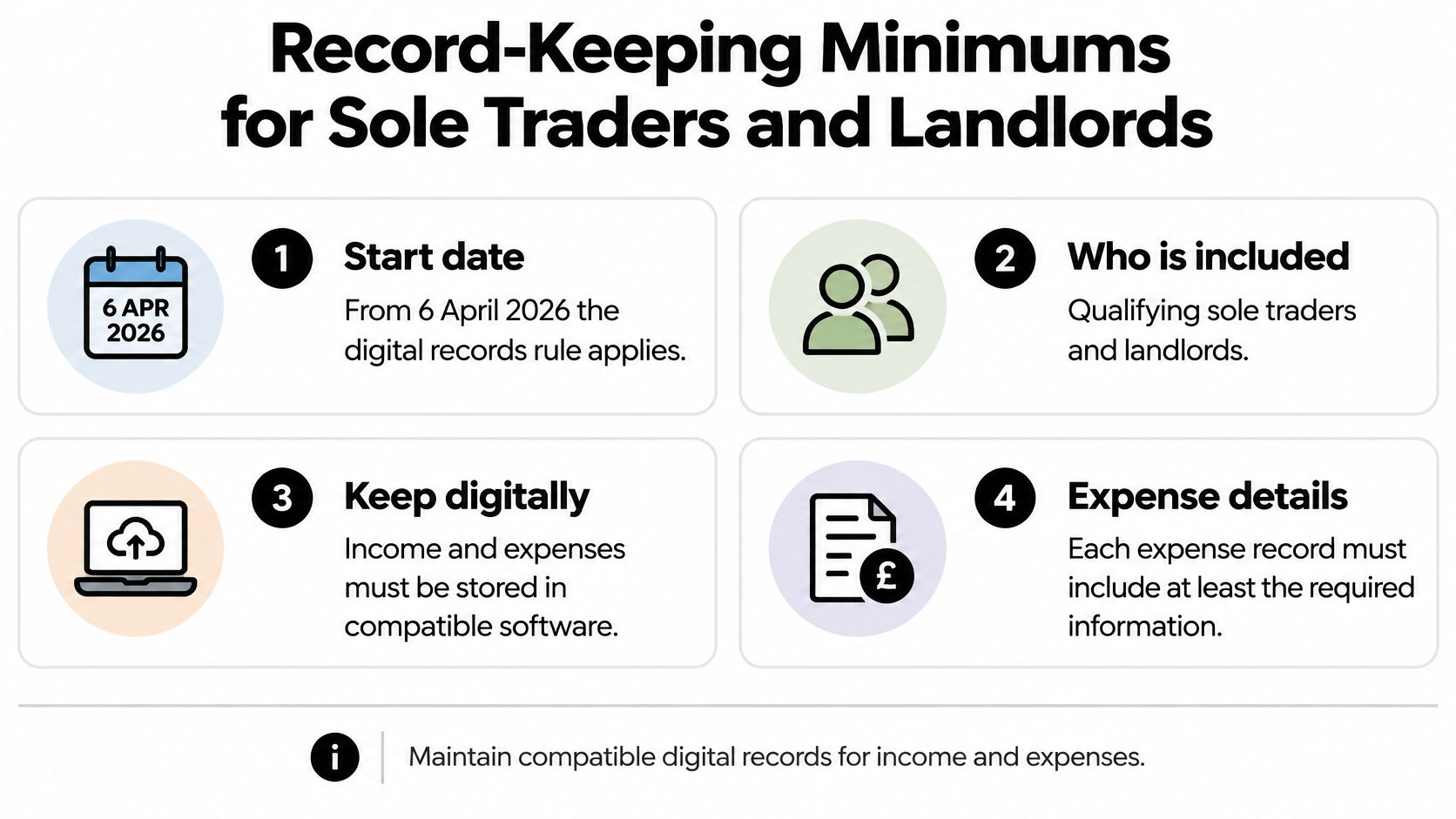
From 6 April 2026, qualifying sole traders and landlords with qualifying income above £50,000 must create digital income and expense records using compatible software, with each expense record containing at least its amount, transaction date and category, according to HMRC's Making Tax Digital guidance.
That's a record-keeping requirement, not an instruction to scan paperwork. An attachment left in an inbox isn't the same as a maintained accounting record.
The checklist captures the basic digital-record requirements, but your bookkeeping setup also needs a dependable way to preserve evidence and explain changes.
Extraction isn't compliance
A parser can read an amount correctly while assigning it to an unsuitable category. It can also produce an apparently complete entry while losing the source document or obscuring a later correction.
Automation is not necessarily compliance. Treat extraction as preparation for a record, then configure the accounting workflow to make that record traceable and usable.
For a practical bookkeeping setup:
- Require the minimum fields. Don't mark an expense complete while its amount, transaction date or category is unresolved.
- Link the original file. Keep the receipt or invoice accessible from the record, rather than relying on someone finding the email later.
- Log corrections. Preserve what changed, when it changed and who made the change, instead of overwriting the earlier value without notice.
- Map categories deliberately. Use your chart of accounts rather than accepting an extraction tool's generic labels without checking them.
These controls help you explain an entry when your accountant queries it. They also make it easier to distinguish an original reading from a subsequent bookkeeping decision.
Check the destination as carefully as the parser
The accounting package must receive something useful, not merely a supplier name and a total. Check whether the integration preserves the source attachment, category and approval information you need.
If you're choosing between Xero and QuickBooks, KeenVerdict's comparison can help frame the destination decision. Evaluate the actual document and correction workflow alongside the broader accounting features.
Use the HMRC record-keeping guide when checking your wider setup with your accountant. Then open a completed expense and perform a simple test: can you find the original, understand the category and follow the change history without searching another inbox?
Handling Split, Ambiguous and VAT Receipts
The safest email parser may be the one that refuses to post an uncertain transaction. Filling every field isn't a useful achievement if the software has mistaken an authorisation for a payment or treated personal shopping as a business expense.
HMRC's guidance on creating digital records makes digital expense records and categorisation central to the workflow. In practice, that means handling incomplete evidence and corrections, not just extracting whatever text is easiest to read.
Separate the facts before deciding the treatment
An order confirmation can describe a proposed charge rather than the final transaction. Hold it pending until you can match it to the appropriate evidence. For a subscription covering several periods, distinguish the billing period from the actual charges before deciding how the accounts should reflect it.
A mixed shopping receipt needs a different judgement. Separate business and personal lines, and record the basis for any partial business use. Don't let the supplier's name determine the treatment of everything on the receipt.
Gross amount, VAT amount, currency and VAT-invoice validity are separate facts. Finding VAT in the text doesn't establish recoverable input tax, and a missing VAT number needs investigation rather than an invented value.
For foreign-currency documents, retain the original amount and currency alongside the sterling accounting figure. Match duplicate documents using a combination of supplier, document reference and transaction details, not just matching totals.
Awkward receipts and the action each needs
| Case | What the parser should do | Person check needed? |
|---|---|---|
| Order confirmation showing an authorisation | Hold as pending and match to the later charge | Yes, until the charge is found |
| Subscription renewal covering several periods | Identify periods and charges; split by period where appropriate, keeping charges distinct | Yes, if the periods are unclear |
| Receipt mixing business and personal items | Split lines by business use and note the basis | Yes |
| VAT amount shown but no VAT number | Record gross and VAT as read; don't claim recoverable VAT pending verification | Yes |
| Foreign-currency receipt | Store the original currency and amount with the sterling figure | Yes, if the rate is unclear |
| Same receipt in two email threads | Keep one record and link the duplicate | Only if the amounts differ or the match is uncertain |
| Credit note or amended receipt | Link to the original and post the correction | Yes |
Make review an actionable job
Give each held item a reason, such as missing evidence, uncertain currency or possible duplicate. Assign someone to resolve it and preserve the decision, including links between credit notes, amendments and original entries.
When browsing listings such as Invoicekit on AI Tool Seekers, use these awkward cases as demonstration questions rather than assuming extraction features cover bookkeeping exceptions.
Posting rule: If the accounting treatment is uncertain, keep the item in review until someone confirms it.
Choose Your Parser Route Before Anything Syncs
For a light trickle of documents, manual entry with a scheduled review may be the sensible choice. Steady paperwork from familiar suppliers can suit rules or templates. Mixed senders, scans and heavier intake point towards AI extraction or a ready-made tool with a usable review queue.
Choose around the paperwork you receive, not the cleanest example in a demonstration. Keep your existing accounting checks in place during the trial.
A useful test includes the documents that normally interrupt a bookkeeping session.

Test before enabling the connection
- Count and sort your intake. List the suppliers, document formats and exceptions you regularly receive.
- Choose the simplest suitable route. Don't build a maintenance-heavy system for a copying task you can manage comfortably.
- Run a representative test batch. Include ordinary invoices and the awkward cases that apply to your business, not just clear PDFs.
- Set review triggers. Test which uncertain fields and failed checks should hold an item, rather than accepting the tool's defaults unquestioningly.
- Approve synchronisation with your accountant. Compare the resulting entries against the source documents before allowing routine exports.
Snyp is a ready-made option: we accept forwarded receipts at your unique Snyp email address, as well as WhatsApp submissions and direct uploads. Our process extracts the details, lets you review and confirm them, then syncs the approved data to Xero or QuickBooks.
The video offers another way to understand the capture workflow.
Choose your route this week and run the test before enabling automatic sync. Judge success by whether you can trust and explain the resulting records, not merely by whether the software filled the boxes.
Snyp turns forwarded receipt emails and uploaded documents into extracted expense details you can review before approved data reaches Xero or QuickBooks. Visit Snyp to try your own supplier paperwork and check the original document against the extracted fields before you confirm it.